Geometry Dash Lite
RobTop GamesArcade
4.4495.93K Reviews
- Version
- 2.2.148
- Installs
- 500.00M
- Age Rating
- Everyone 10+
Screenshots
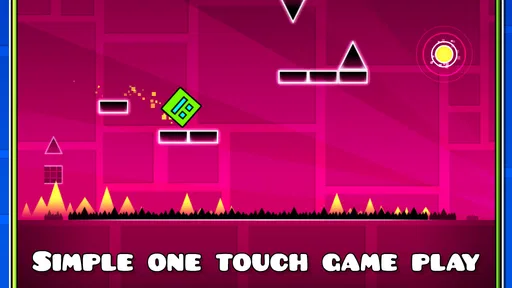
Our Review of Geometry Dash Lite
 Analysis by Appyee
If you’ve ever found yourself with a few spare minutes and a phone in hand, you’ve probably come across the addictive world of rhythm-based platformers. Enter Geometry Dash Lite, a game that’s all about timing, rhythm, and a whole lot of patience. Let’s dive right into the geometric chaos and see what makes this game tick.
A rhythm challenge built around timing
What keeps me coming back is how clearly the music and movement work together. A tap sends the cube into a jump, and the beat gives each stretch of a level a pulse that can help you anticipate what comes next. That connection is satisfying when I find the rhythm, but it doesn’t turn the game into an automatic ride: obstacles still demand attention, and a mistimed tap can end a run.
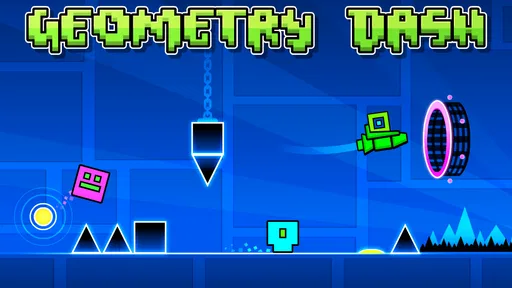
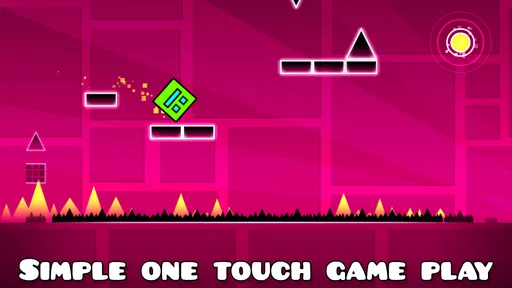
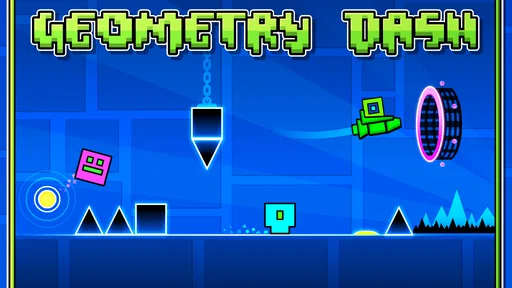
From the moment you open Geometry Dash Lite, you’re greeted with a lively soundtrack and vibrant graphics that set the stage for an exciting journey. The game is simple in concept but challenging in execution. You control a small cube that must navigate through various levels filled with spikes, gaps, and other obstacles. The twist? Everything moves to the beat of the energetic background music.
The controls are straightforward: a single tap makes your cube jump. But don’t let the simplicity fool you. Each level requires precision timing and quick reflexes to avoid the myriad of traps that await you. One wrong move, and it’s back to the start. But hey, who doesn’t love a good challenge?
How the beat helps—and where it doesn’t
I find it useful to listen for the rhythm without treating every beat as a command to tap. Music can help me sense the pace of a sequence, but the visible obstacles have the final say. Some moments call for a jump between beats or a quick response to what’s on screen, so copying a rhythm mechanically is not enough. The best approach is to let the soundtrack guide your timing while keeping your eyes on the path.
That distinction matters if you’re used to rhythm games where matching notes is the main task. Here, the music supports platforming rather than replacing it. I’d recommend playing somewhere you can hear the track clearly, especially when learning a section, but I still focus on the visual layout. If I keep failing at the same point, I try to identify the exact obstacle and adjust my timing instead of simply tapping faster.
Graphics and Soundtrack
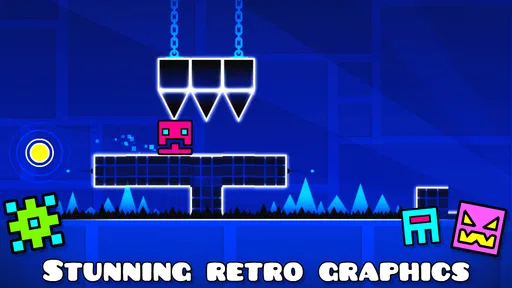
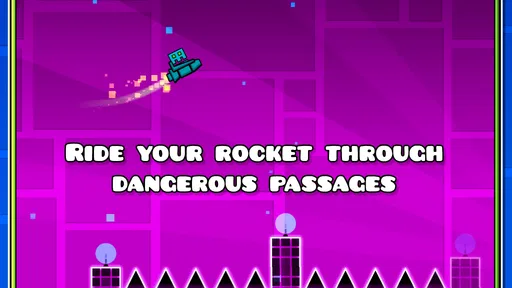
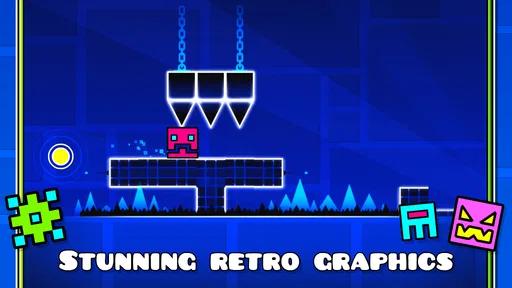
The graphics in Geometry Dash Lite are, as you’d expect, full of sharp lines and bright colors. The minimalistic design adds to the game’s charm, allowing you to focus on the action without unnecessary distractions. But the real star here is the soundtrack. Each level features a unique track that perfectly complements the gameplay, turning every jump and fall into a rhythmic dance. Trust me, you’ll find yourself tapping your feet along with the beat.
Short sessions, repeated attempts
This is a good fit for the small gaps in an ordinary day: waiting for an appointment, taking a short break, or sitting on the bus when you can safely watch the screen. A run asks for attention, but the tap control makes it easy to start playing without a long setup. I would not choose it when I need a calm background activity, though. A difficult stretch can pull me into repeated attempts, and the restart after a mistake makes even a brief session feel intense.
For a practical routine, I try a level a few times, then pause and return later if I’m reacting impatiently. When I’m tired or distracted, my timing gets worse, so grinding through attempts is not always productive. A short reset can help more than another frustrated run. That makes the game surprisingly suited to quick practice, provided I’m comfortable with the possibility that I’ll stop without clearing the section I was working on.
Learning a difficult passage
One of the coolest features of Geometry Dash Lite is its ability to make you feel like you’re constantly improving. The levels are designed to be replayed multiple times, encouraging you to learn from each attempt and gradually master the timing and rhythm. There’s something incredibly satisfying about finally conquering a level that had you stumped just moments before.
Plus, the game offers a practice mode that allows you to place checkpoints along the way. It’s a lifesaver for those trickier sections and a great way to hone your skills without the frustration of starting over repeatedly.
I use checkpoints as a way to study a troublesome stretch in smaller pieces, rather than treating practice as a shortcut to a clear. Once I understand where my timing goes wrong, I return to the regular challenge and see whether I can carry that learning through the whole level. The trade-off is that checkpoint practice does not provide the same pressure as a full run: knowing that a restart is nearby can make a section feel easier than it will during a complete attempt.
A useful habit is to pay attention to the obstacle just before the one that keeps catching you. Sometimes the problem is not the jump that looks difficult, but arriving at it with the wrong timing after the previous move. Thinking in sequences gives me a better chance of fixing the cause instead of repeating the same mistake. It also makes the game feel more like a learnable test than a reflex lottery.
Where it fits among arcade games
As an arcade game from RobTop Games, Geometry Dash Lite has a focused identity: it asks for short, precise inputs and rewards learning through repetition. It is free, has an Everyone 10+ content rating, and its current version is 2.2.144. The original release was on September 15, 2013, and the game supports Android 5.0 and later. Its average rating is 4.4 from around 7.7 million ratings, with roughly 495,000 written reviews and over 500 million installs. Those figures show its broad reach, but the more useful question is whether its demanding, retry-driven style suits you.
Compared with many arcade games that emphasize quick variety or a constantly changing stream of casual tasks, this one asks you to revisit set obstacles and improve your execution. That focus is its strength if you enjoy seeing a clear skill payoff. It is also a limitation if you prefer exploration, a relaxed pace, or progress that does not depend on repeating a section after a mistake. Players looking for a conventional music game may also prefer one where matching the soundtrack is the central action, rather than a platform challenge where the beat is a guide.
Who will enjoy the challenge
I’d point this game toward players who like learning by doing and don’t mind failing while they build consistency. It can also suit someone who enjoys a compact challenge that rewards concentration more than complicated controls. If you’re sharing a device or recommending a game to a younger player, the age rating is a useful detail to consider, while the fast pace is still worth bearing in mind for anyone who dislikes tense repetition.
On the other hand, I would skip it if a failed attempt tends to spoil your mood, if you want a game you can play while barely looking at the screen, or if you prefer wandering around and choosing your own route. The screen and timing need your attention. It is not a good match for multitasking, and the one-tap control should not be mistaken for an easy experience. A simple input can still demand precise decisions.
Final Thoughts
Geometry Dash Lite is a perfect example of a game that’s easy to pick up but hard to put down. Its combination of challenging gameplay, catchy music, and vibrant visuals creates an addictive experience that’s hard to resist. Whether you’re looking to kill some time or seriously challenge your reflexes, this game has got you covered.
So, if you’re up for a test of skill and rhythm, give Geometry Dash Lite a try. Just be prepared for a few "just one more try" moments as you attempt to beat your high score. Happy jumping!
Privacy and Permissions
See what permissions an app requests and how it handles your data.
- Photos/Media/Files
- read the contents of your USB storage, modify or delete the contents of your USB storage
- Storage
- read the contents of your USB storage, modify or delete the contents of your USB storage
- Wi-Fi connection information
- view Wi-Fi connections
- Other
- view network connections, full network access, control vibration, prevent device from sleeping, Google Play license check
Verdict
Strengths of Geometry Dash Lite
- Engaging rhythm-based gameplay.
- Varied level designs keep it fresh.
- Simple and intuitive controls.
- Vibrant and colorful graphics.
- Offline play is available.
Limitations of Geometry Dash Lite
- Limited levels in the free version.
- In-app ads can be intrusive.
- No checkpoints in levels.
- Can be frustratingly difficult.
- No level editor in Lite version.
Other Releases by RobTop Games
View All
Geometry Dash World
Arcade4.5

Geometry Dash SubZero
Arcade4.5

Geometry Dash Meltdown
Arcade4.6

Geometry Dash
Arcade4.7
Similar Picks in This Category
View All
Subway Surfers
SYBO Games4.6

Stickman Party 234 MiniGames
PlayMax Game Studio4.6

Subway Princess Runner
Ivy4.4

Temple Run
Imangi Studios4.2

Zombie Tsunami
Mobigame SAS4.6

Stack Ball - Crash Platforms
CASUAL AZUR GAMES4.5
You May Also Like
View All

Frequently Asked Questions
What is Geometry Dash Lite, and how does it differ from the full version?
Geometry Dash Lite is a free version of the popular rhythm-based platformer game, Geometry Dash. In this version, players can enjoy a selection of levels with challenging gameplay, but it lacks some features available in the full version, such as additional levels, level editor, and more customizable options.
Is Geometry Dash Lite suitable for all ages?
Geometry Dash Lite is designed for players of all ages, but it is particularly appealing to those who enjoy fast-paced, challenging platformers. The game requires quick reflexes and precise timing, which might be challenging for younger children but provides a thrilling experience for older players and adults.
Do I need an internet connection to play Geometry Dash Lite?
No, Geometry Dash Lite can be played offline, making it a great option for on-the-go gaming without the need for an internet connection. However, if you wish to access certain features, like leaderboards or community levels in the full version, an internet connection would be necessary.
Are there in-app purchases in Geometry Dash Lite?
Geometry Dash Lite does not include in-app purchases, making it entirely free to play. This version is monetized through ads, so players may encounter advertisements between levels. For those wishing to experience the game without ads, the full version of Geometry Dash is available for purchase.
What are the system requirements for Geometry Dash Lite on mobile devices?
Geometry Dash Lite is compatible with most modern Android and iOS devices. It requires minimal storage space and is optimized for smooth performance on a wide range of smartphones and tablets. For the best experience, ensure your device is updated to the latest operating system version.
Play our best games!


